01
Desktop POS
A focused sales counter with a locally saved catalog, receipts, and pending uploads. Continue checkout offline after initial online setup.
AI-powered ZYSP POS & IMS
Keep selling at the counter when the internet drops. Manage products, inventory, sales, and staff in a connected web workspace, with AI help when you need guidance.
One system, two workspaces
Built around everyday retail work: selling goods, keeping stock accurate, and understanding the day's sales. The desktop POS and web Inventory Management System (IMS) work together for each shop.
A focused sales counter with a locally saved catalog, receipts, and pending uploads. Continue checkout offline after initial online setup.
Manage the catalog, receive and adjust stock, review synchronized sales, process returns, and oversee staff access from a browser.
Inside the product
Actual application screens with fictional demo data, shown in English.
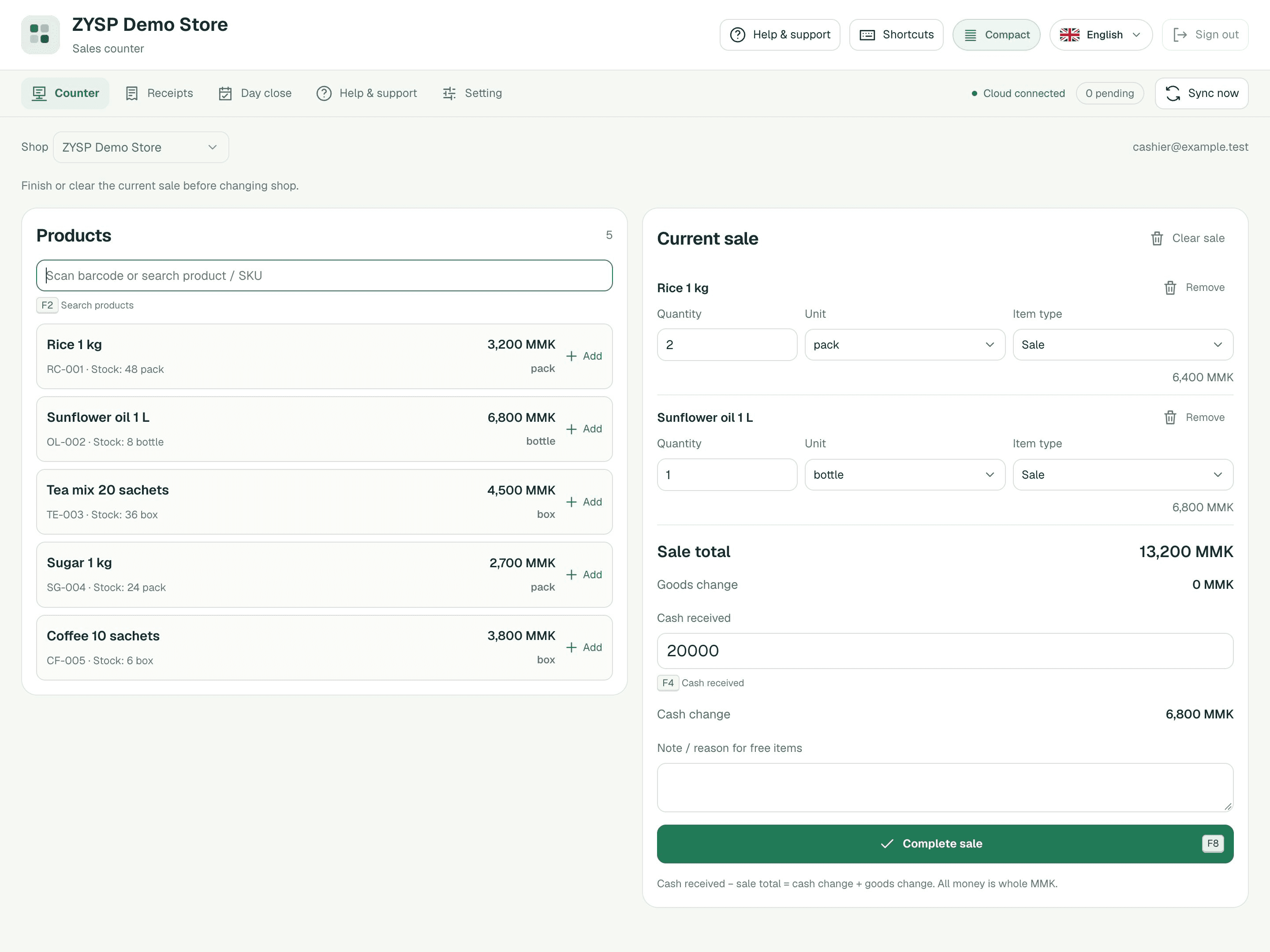
Everyday operations
Connected workflows for retail shops and small businesses selling stocked goods, including packs, dozens, and weighed quantities.
When the connection drops
Offline checkout is part of the desktop workflow, with a clear path back to the connected shop records.
Sign in with an assigned staff account, choose the shop, and download its catalog and branding.
Sales, payments, stock movements, and upload work are saved together on the device. Pending work survives a restart.
Pending sales retry on reconnect. Accepted sales appear in web management; rejected uploads stay on the device for administrator review.
Offline stock reflects the last synchronization. Sales at another counter may change availability before you reconnect. Local backup export is available; recovery is an administrator-led process.
Practical AI
Ask how to use POS and IMS in English or Myanmar, attach a screenshot or image for context when configured, and read answers formatted as clear steps. The assistant uses product guidance; it does not read your live sales or inventory or make changes to shop records.
Built-in guides remain available offline. Send a support request to an administrator; the desktop queues requests while offline and caches replies for later reading.
Planned · Not available yet
A future direction: use sales patterns to suggest which products to stock more of or scale back. Forecasting and restocking recommendations are not part of the current assistant.
Longer-term exploration of location, seasons, weather, and market context to support stock and branch decisions. Scope and availability are still to be defined.
Availability & setup
The product is in development with a hosted preview and desktop distribution options. Windows is listed in the Microsoft Store; direct macOS downloads are beta releases. Setup requires a provisioned shop/staff account and an initial internet connection.
The preview and direct beta use a staging environment. Shop hardware, printer compatibility, and deployment readiness need to be checked for your setup. Contact us to discuss onboarding and the current release options.
Before you get started
What the current product does, and what to discuss with us before setting up a shop.
Yes, after staff sign-in and an initial catalog download online. The desktop saves checkout work locally and retries pending uploads when the connection returns. Web management and AI answers need internet. Offline stock is the last synchronized view, so conflicting uploads may need administrator review.
Export a UTF-8 CSV from Excel, preview and validate it in IMS, then import up to 200 new products at once. Duplicate SKUs and barcodes are rejected. Each row creates one selling unit; add more in the product editor. Direct XLSX import is not supported yet.
The current AI answers software-use questions using product guidance, with image context when configured. It does not inspect live business records or place orders. Predictive sales insights and context-aware recommendations are planned for later.
The implemented workflows focus on retail shops and small businesses selling stocked goods in MMK, including multiple selling units and weighed quantities. Restaurant table service, kitchen workflows, other currencies, and specialized integrations need a separate discussion.
A shop and staff account must be provisioned before use; there is no public self-service signup. Contact ZYSP Tech to discuss a demonstration, staff access, installation, and checks with your shop's devices and printer. Pricing and rollout arrangements are discussed directly.
Let's talk about your shop
Tell us what you sell, how your counter works, and where stock management gets difficult. We'll walk through the product and the setup that fits.
Or email us at hello@zysptech.com